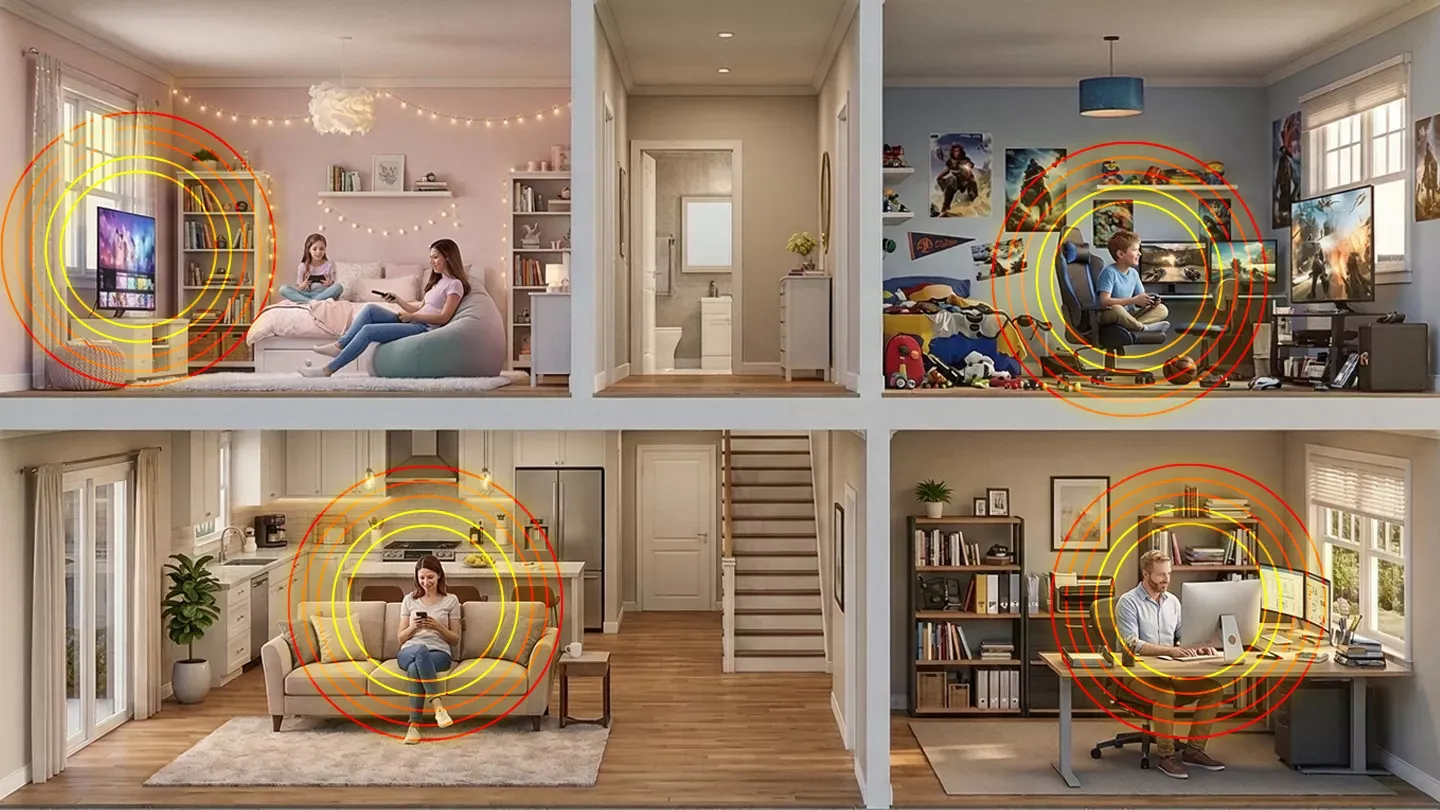
We’ve all been there. You’re in the middle of a high-stakes online gaming matchup, or perhaps you’re finally at the emotional climax of a Netflix binge, and then it happens: your WiFi has decided that the three extra steps you took into the kitchen are a bridge too far.
Why is it that your internet is lightning-fast in the hallway but moves like a snail in the bedroom? It’s time to stop the madness. Whether you’re trying to figure out how to extend WiFi range or wondering if whole-home internet is just a marketing myth, we’ve got the answers. Grab a coffee, and let’s turn your house into a high-speed sanctuary.
Before we dive into the gadgets, let’s talk about the goal: Whole-Home WiFi. In the "old days" (like, 2019), we just expected the internet to work near the router. Today? O-o-h, child, we need whole-home WiFi coverage that follows us from the basement to the bathroom and out to the patio.
True whole-home WiFi systems are designed to blanket your entire property with a seamless signal. No more "dead zones." No more switching to cellular data just to watch a recipe in the kitchen.
If you’ve started googling solutions, you’ve probably seen a dozen different names for things. Let’s clear up the jargon. When comparing a WiFi booster vs. a WiFi extender, the terms are often used interchangeably, but there’s a slight difference in how they "boost" your life.
Wait, what about a WiFi repeater vs. an extender? A WiFi repeater is the older, slightly clunkier sibling. It receives the signal and rebroadcasts it, but it often creates a secondary network name (like "MyHome_EXT") and can cut your speed in half because it’s busy "talking" to the router and your phone at the exact same second. A modern WiFi extender (specifically a WiFi mesh extender) is much smarter and more efficient.
Think of it like a relay race. Your router is the first runner, holding the "Data Baton." If your house is too big, the router gets tired before it reaches the back bedroom.
What is a WiFi extender in this scenario? It’s the second runner. You place it in the middle of the house where the signal is still strong. It grabs the "Data Baton" from the router and sprints it the rest of the way to your laptop.
One of the most common questions we get is: Does a WiFi extender increase speed? The honest answer is: No. An extender doesn't make your "base" internet faster; it just makes it available in more places. If you have a 1-Gig plan, an extender won't give you 2 Gigs. However, if your bedroom was only getting 10 Mbps due to distance, a well-placed extender will "increase" the speed you actually experience in that room by providing a stronger connection to the source.
If you really want to go pro, you need to look at WiFi extenders vs. mesh networks.
Unlike a standard extender, a WiFi mesh extender communicates with every other node in the house. It creates a single, seamless web of coverage. You don't have to switch networks as you walk around manually; the system "hands you off" to the strongest node automatically. If you’re looking for the ultimate whole-home WiFi experience, Mesh is the way to go.
If you really want to future-proof your home, look no further than the latest tech hitting the market. Brightspeed home WiFi service recently launched WiFi 7 technology across its gig-speed plans, including a mind-melting 2-Gig and 8-Gig offering.
Why does WiFi 7 matter? It’s not just about speed; it’s about capacity. WiFi 7 is designed to support over 100 devices simultaneously. So, while you’re gaming in 8K, your smart fridge is updating, and your partner is on a 4K Zoom call, nobody feels a flicker of lag. Welcome to the new era of whole-home internet.
Ready to pull the trigger? Knowing how to set up WiFi extender units is the difference between "lightning fast" and "why did I buy this?"
Life is too short for bad internet. Whether you’re installing a simple WiFi extender to reach the guest room or upgrading to a Brightspeed Whole-Home WiFi system with WiFi 7, the goal is the same: freedom.
Now that you know how WiFi extenders work and the difference between a WiFi booster vs. a WiFi extender, you’re officially the IT guy of the house. Go forth, eliminate those dead zones, and may your ping always be low and your streaming always be 4K.
Ready to see if the future has reached your neighborhood? Check out the latest fiber plans and mesh options to get the whole-home WiFi coverage you deserve!
How do I extend my WiFi range at home?
You can extend the signal by moving your router to a central spot, getting a WiFi extender, or upgrading to a mesh system. Even just keeping it off the floor and away from the microwave helps!
What is whole home WiFi?
It’s exactly what it sounds like: internet bliss in every room. Usually, this refers to a Mesh Network—a team of small devices you scatter around the house that work together to create one giant, seamless blanket of coverage.
How do WiFi extenders work?
Imagine a relay race. The extender sits halfway between your router and your "dead zone." It grabs the WiFi signal from the router, gives it a high-five, and flings it further into the house.
WiFi booster vs. WiFi extender: What’s the difference?
"Booster" is a catch-all term for anything that makes your signal better. An "Extender" is a specific device that repeats the signal. If you see them at the store, they’re usually trying to solve the same problem.
How do I set up a WiFi extender?
It’s typically a plug-and-play situation:
When you sign up for Brightspeed home WiFi, a certified technician installs your internet and modem/router, so you don’t have to handle the technical details.
WiFi repeater vs. WiFi extender vs. Mesh network. What’s the difference?
Repeaters | Extenders | Mesh Systems |
|---|---|---|
Repeaters just bounce the existing signal (which can cut your speed in half). | Extenders create a second network (e.g., "Home_WiFi_EXT"). You might need to switch to it manually when you walk upstairs. | With a mesh system, your phone automatically grabs the strongest signal as you walk around without you ever noticing. |
Does a WiFi extender increase speed?
No. An extender doesn't make your actual internet faster; it just brings the speed you already have to places it couldn't reach before. Think of it like switching to a longer garden hose—it won't put out more water per second than before, but it sure helps you reach the plants in the far corner of the yard!